

Help Center
Every screen, in pictures.
Pick what you came here to do. Each section is the real sign up screens, numbered in order, with nothing left for you to guess.
An email address you can open. WLS sends a confirmation link, and you have to click it before the account works.
A password of at least 8 characters.
For a professional, firm or agent: the documents listed in your section, as photographs or PDF files.
Creating an account and browsing are free. You only pay for what you book, and you pay the professional or seller their published price, never WLS directly.
I need a lawyer or another professional
Book a consultation with a verified lawyer, conveyancer, forensic accountant, arbitrator, mediator, debt collector, process server or company secretary, or book a property viewing.
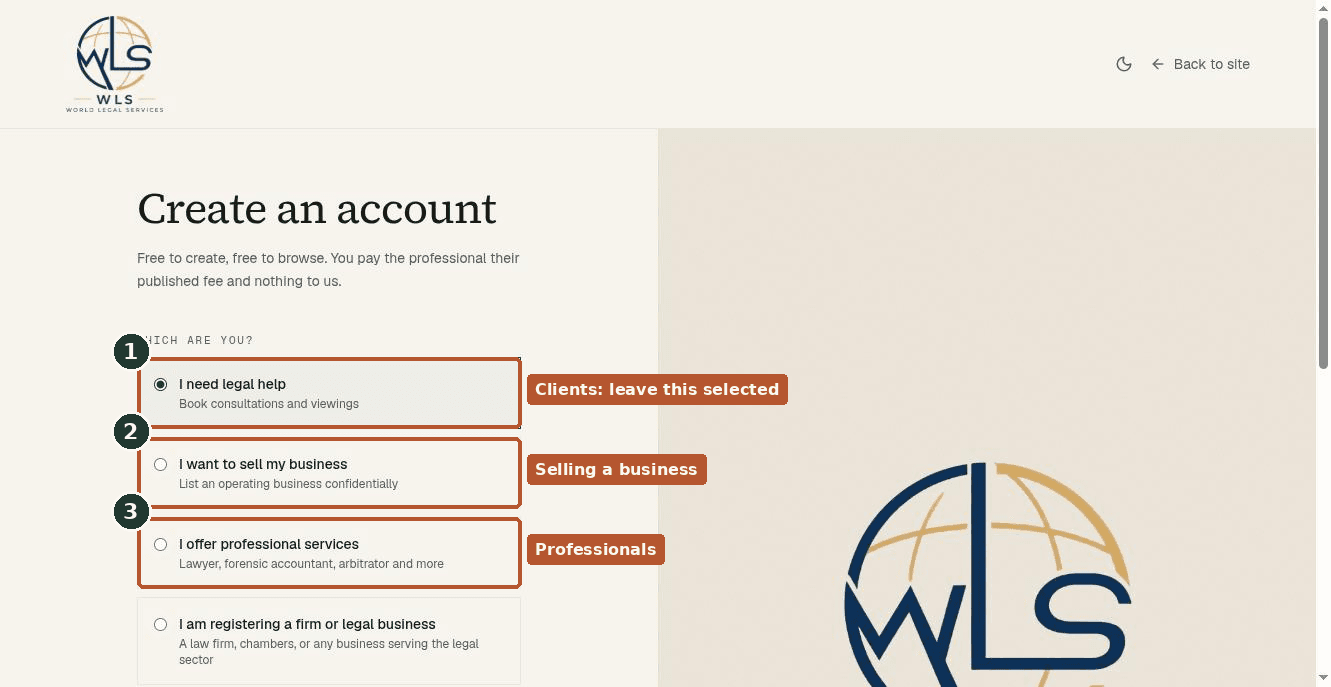
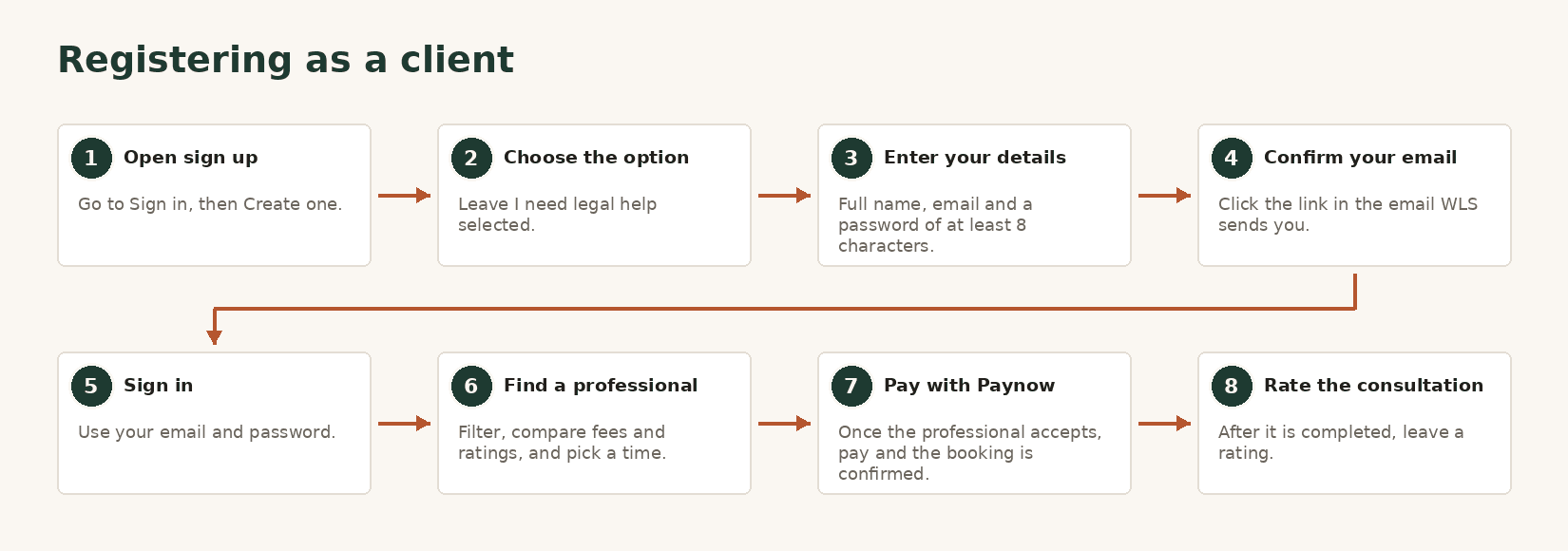
- 1On the sign up page, leave I need legal help selected. It is the default.
- 2Enter your full name, email and a password of at least 8 characters, then click Create account.
- 3Open the confirmation email and click the link in it. Check spam if it has not arrived in a few minutes.
- 4Sign in, then open Find a professional and filter by profession, area or name.
- 5Open a profile, pick a time from their published availability and send the request.
- 6Once the professional accepts, pay through Paynow, EcoCash or any other method it offers, and the booking is confirmed.
I offer professional services
Lawyers, forensic accountants, arbitrators, mediators, conveyancers, debt collectors, process servers and company secretaries all register here. A profile is verified before it appears in the directory.
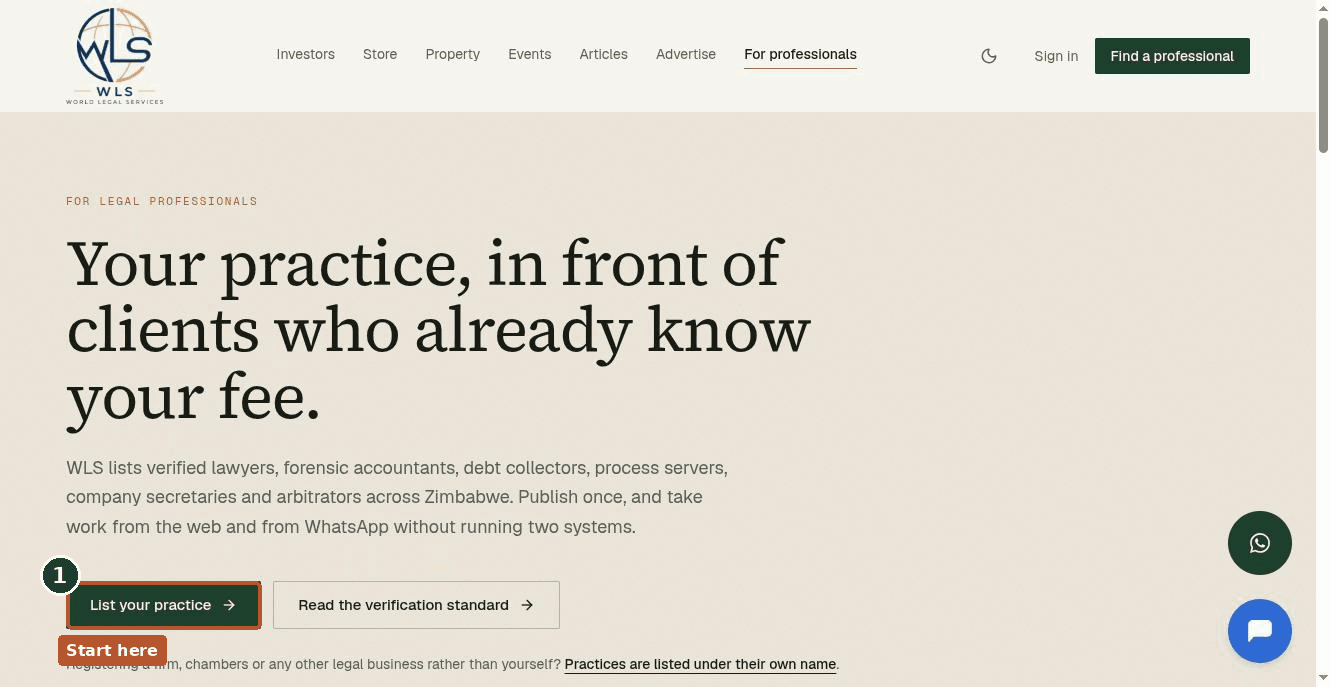
- 1Open For professionals from the top menu, then List your practice, which explains what WLS publishes about you and how verification works.
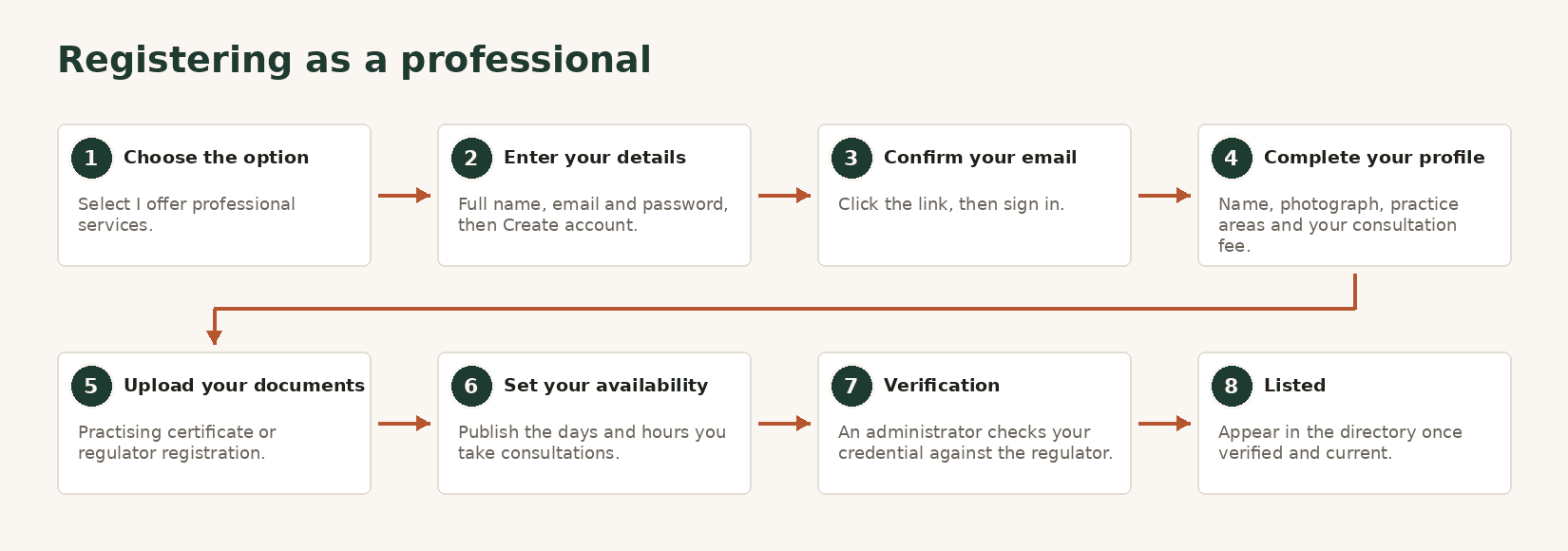
- 2Sign up and choose I offer professional services. Pick your profession if asked for it.
- 3Enter your name, email and password, create the account, then confirm your email and sign in.
- 4Complete your profile: photograph, practice areas and consultation fee.
- 5Upload your current practising certificate or registration with your regulator, straight from your browser.
- 6Set the days and hours you take consultations. Clients can only book what you publish.
- 7Wait for verification. Where a public register exists for your country, your credential is checked against it. You appear in the directory once verified.
I am registering a firm or legal business
A law firm, chambers, an arbitration chamber, a forensic accounting firm, a tax adviser, a legal technology company, a training provider or any other business that serves the legal sector.
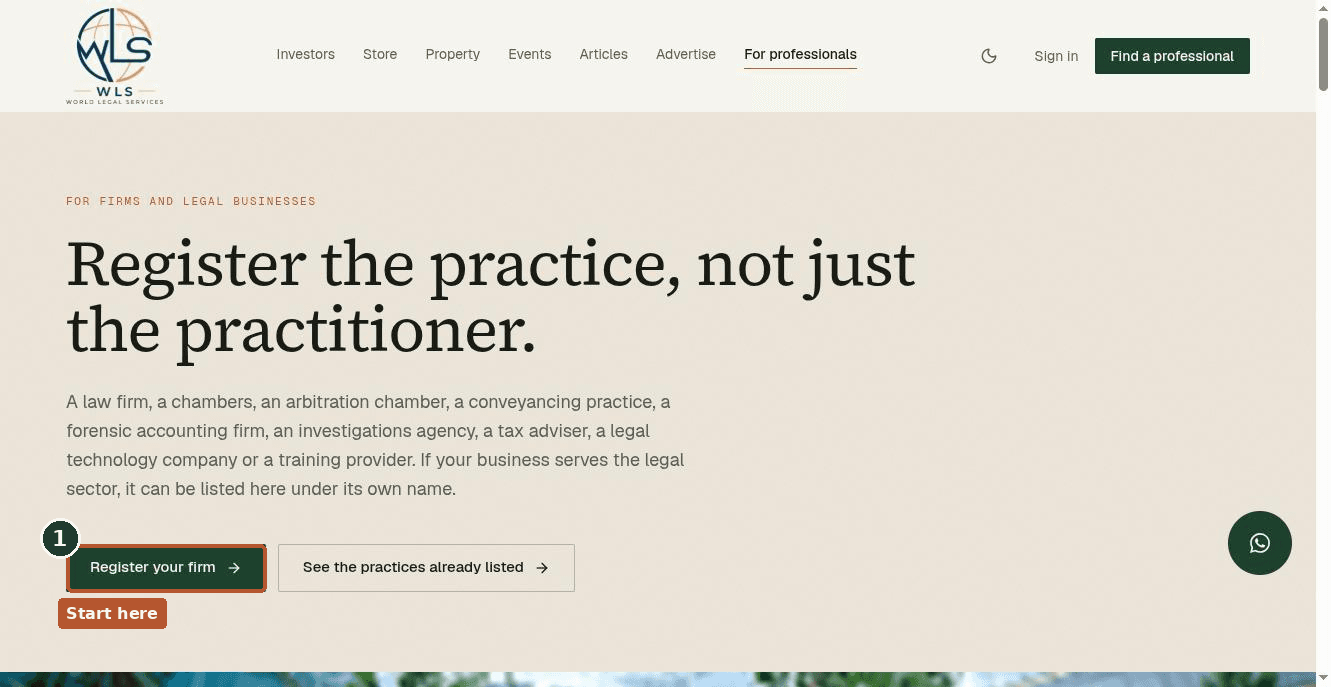
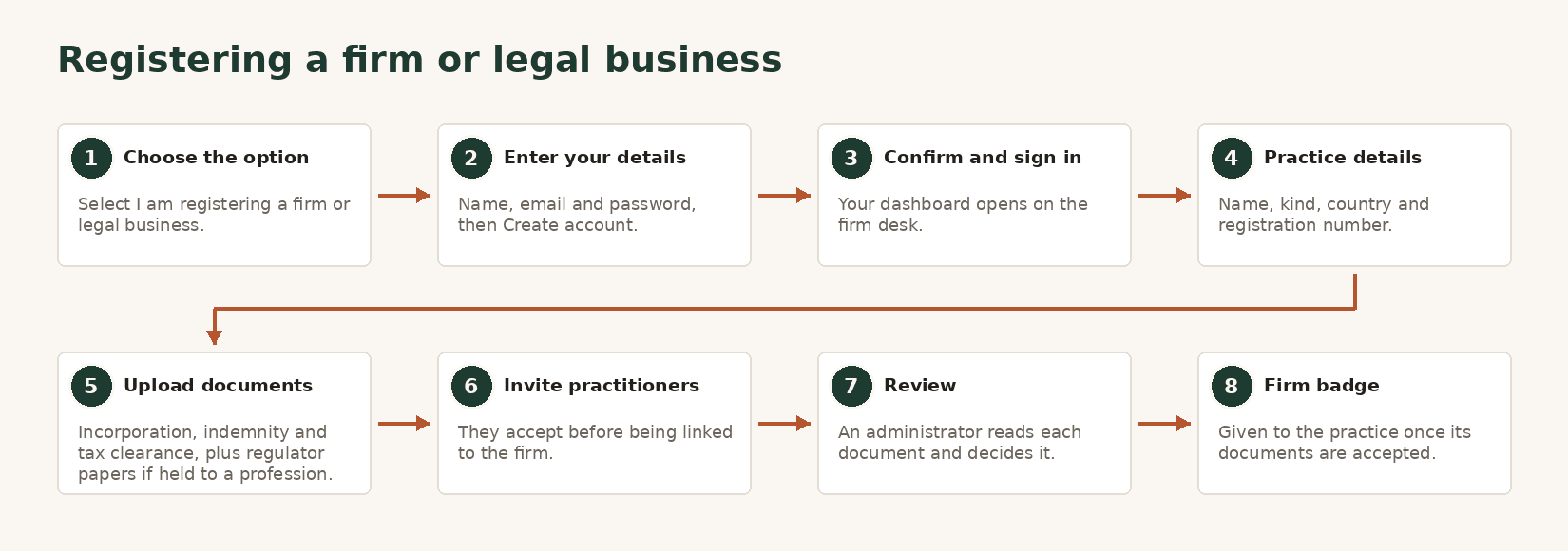
- 1Open For professionals, then Register your firm. The same link is in the footer under Professionals.
- 2Sign up and choose I am registering a firm or legal business, then create the account and confirm your email.
- 3Your dashboard opens on the firm desk. Enter the practice's name, kind, country and registration number.
- 4Upload the practice's papers: incorporation, indemnity insurance and tax clearance for every practice, plus a regulator registration and the principal's certificate for the eight regulated professions.
- 5Invite practitioners to the roster. A practitioner has to accept before they are shown as linked.
- 6Wait for review. The badge is about the practice, not the roster, and is given once the documents are accepted.
I want to sell my business
List an operating business for sale, confidentially. The public board shows only the sector, the region, the year it was established and a price band until you choose to release more.
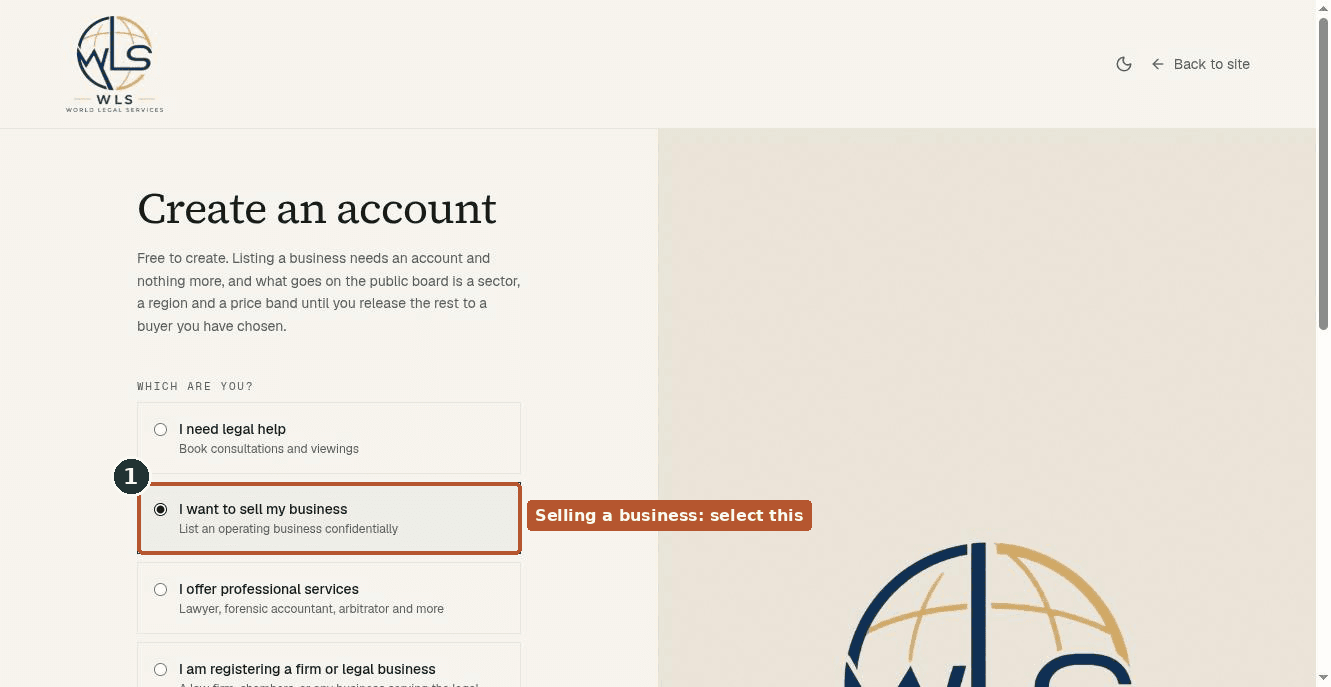
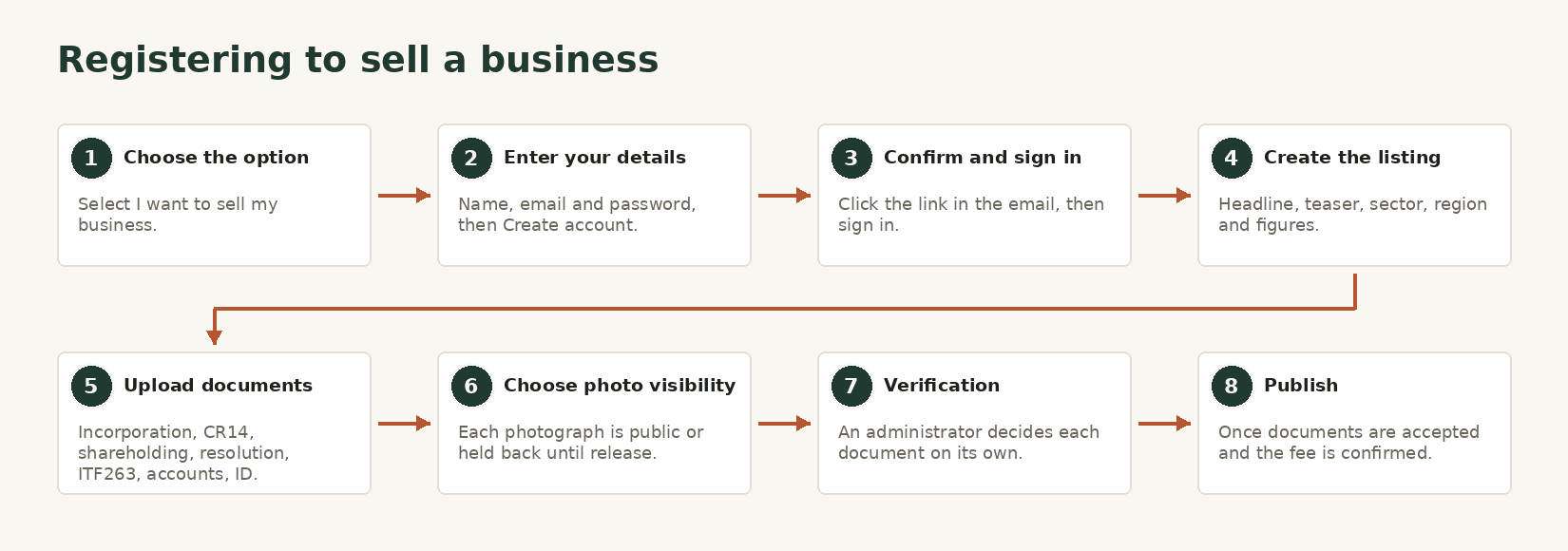
- 1On the sign up page, choose I want to sell my business.
- 2Enter your name, email and password, create the account, then confirm your email and sign in.
- 3Open the business desk and start a new listing: headline, teaser, sector, region and the confidential figures.
- 4Upload the business documents. Each one, incorporation, CR14, shareholding, resolution to sell, tax clearance, accounts and identity, is read and decided on its own.
- 5Upload photographs if you wish. Each is reviewed and marked public or held back until you release it to a buyer.
- 6Publish once every required document is accepted and the listing fee is confirmed with WLS directly.
I am an estate agent
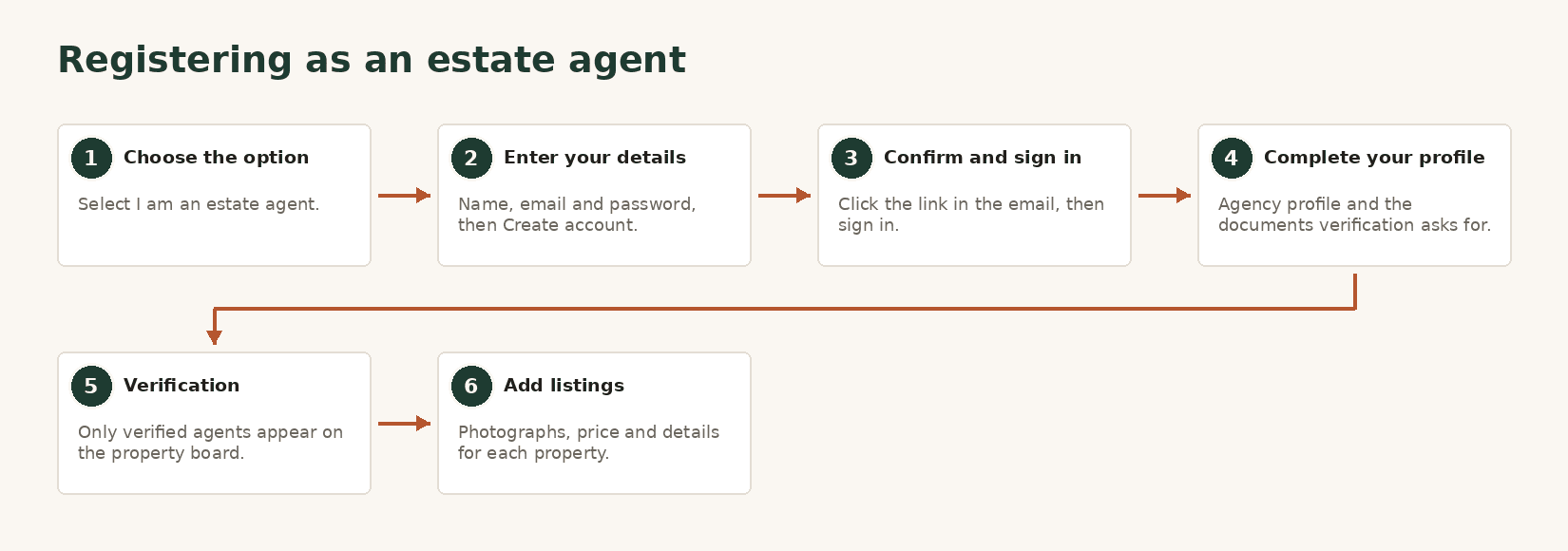
List and manage property for sale or rent. Only verified agents' listings are shown on the property board.
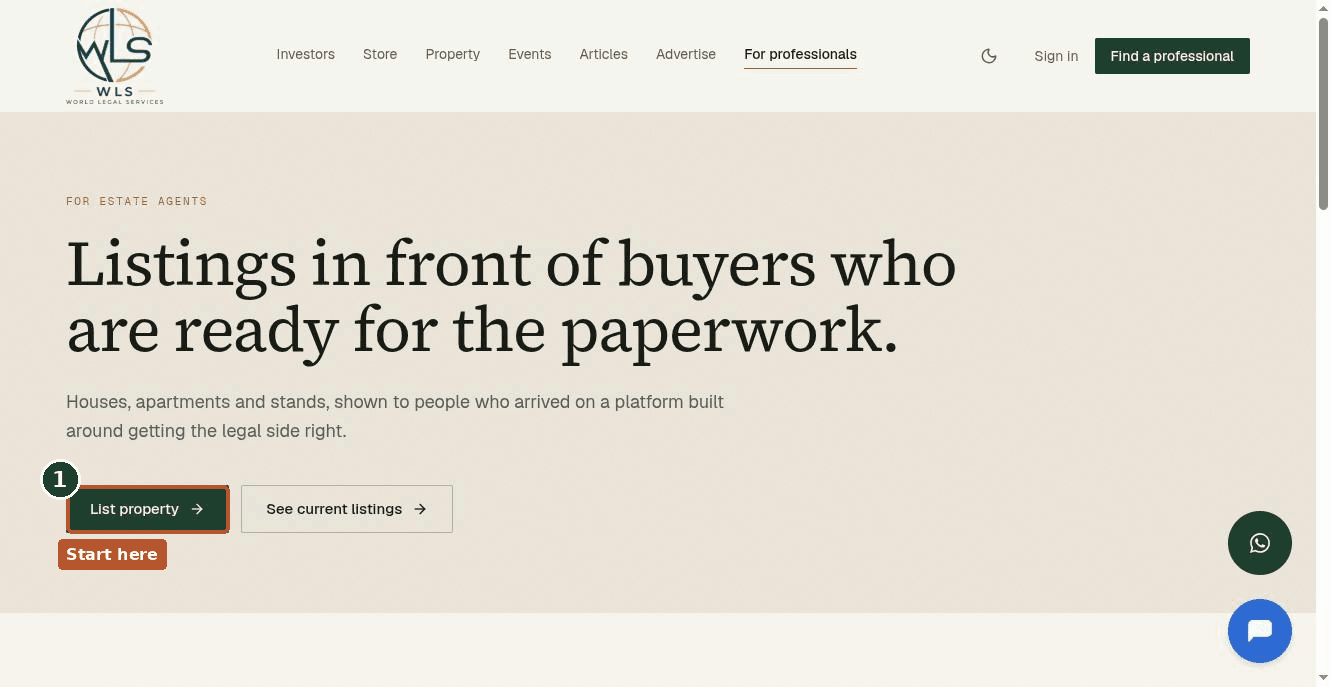
- 1Open Property from the top menu, then List property, which leads to For estate agents.
- 2Sign up and choose I am an estate agent, enter your details and confirm your email.
- 3Complete your agency profile and upload the documents verification asks for.
- 4Wait for verification before your listings appear on the board.
- 5Add listings with photographs, price and details. A viewing can be free or carry a fee you set.
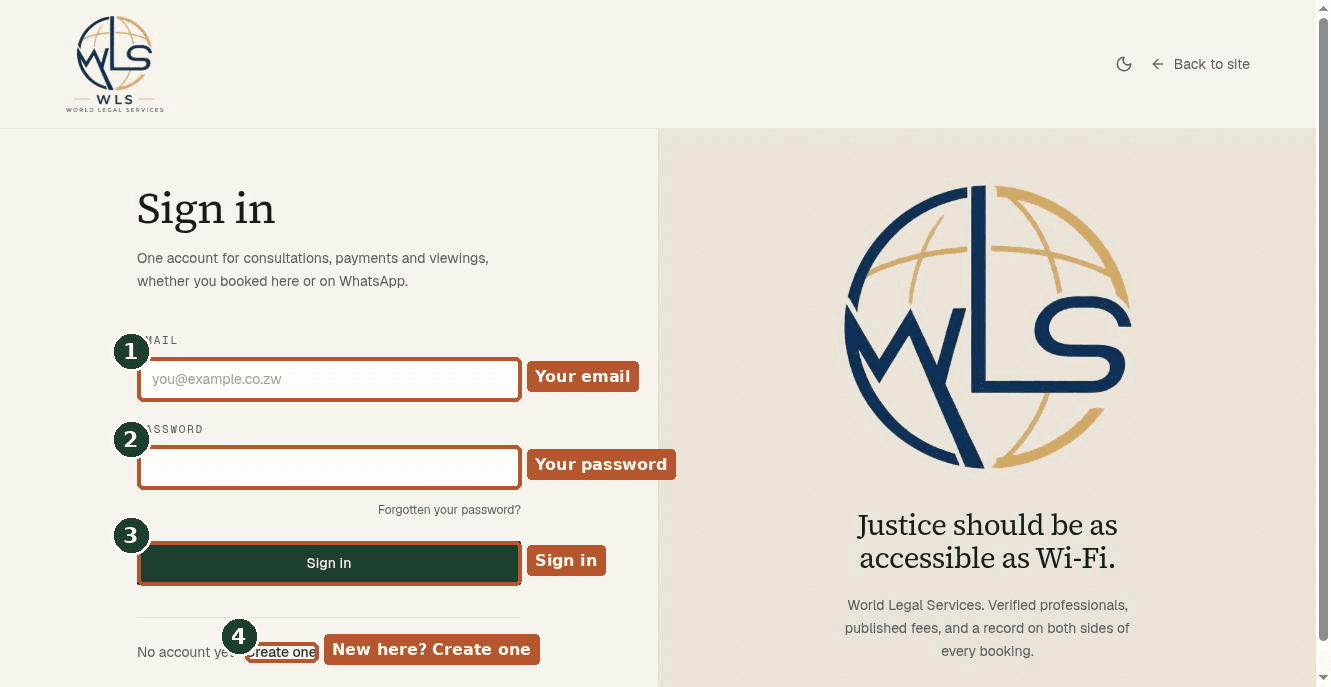
- 1Go to worldlegalservices.org and click Sign in.
- 2Enter your email and password.
- 3Forgotten your password? Click the link under the password field and follow the email it sends.
Three ways to reach a person instead of a page.
The fastest way to ask a quick question, and you can book through it directly.
Chat on WhatsAppQuestions and answers
What it costs, when you pay, and what happens if something goes wrong.
Read the FAQ